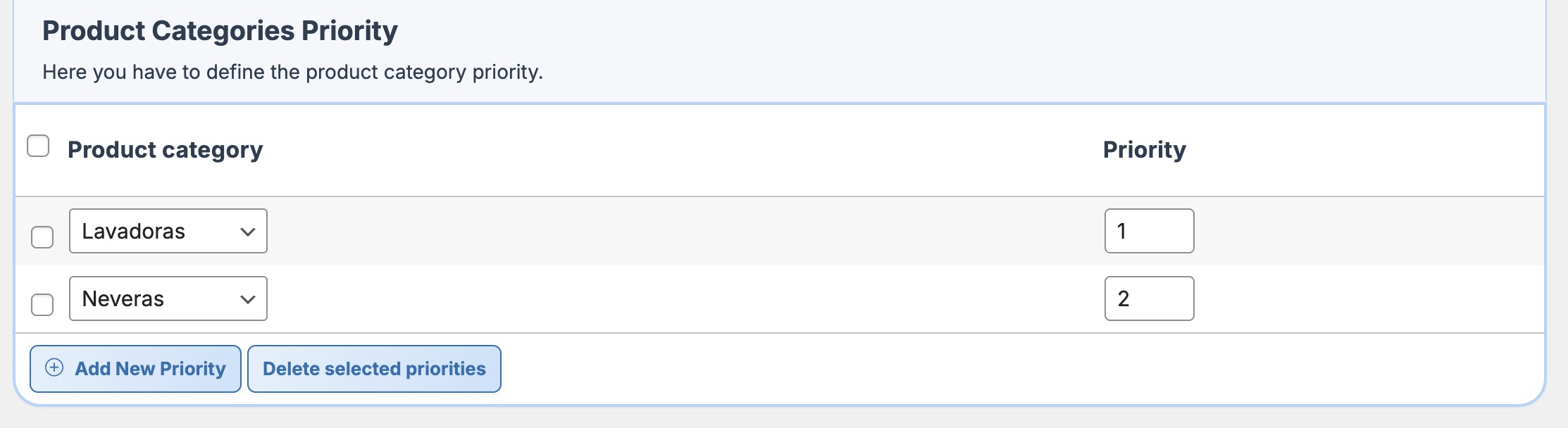

The priority for product categories only applies to tables that use the «Per category» calculation type and, additionally, have the «Apply product category priority» option marked..
When category priority is enabled, only the cost of the highest-priority category will be applied.
IMPORTANT: If you have two or more categories with the same priority, the plugin will select the highest shipping cost among them.
To add priorities to your categories, you just need to:
- Check the «Apply category priority» box.

- Go to the «Product Categories Priority» section, which you will find at the bottom of the plugin settings page, and click on «Add New Priority».
- A new row with two columns will be added, and you should fill them out:
- Product category. Here, you select the category for which you are going to define the priority.
- Priority. Here, you define the numerical value of the priority.
The priority value is always defined as a positive integer, which means you cannot use decimals, zero, or negative numbers.
The value 1 indicates the highest priority, and as the number increases, the category will have lower priority.
Below is an example of priorities for two categories, where the «Lavadoras» category has the highest priority.