

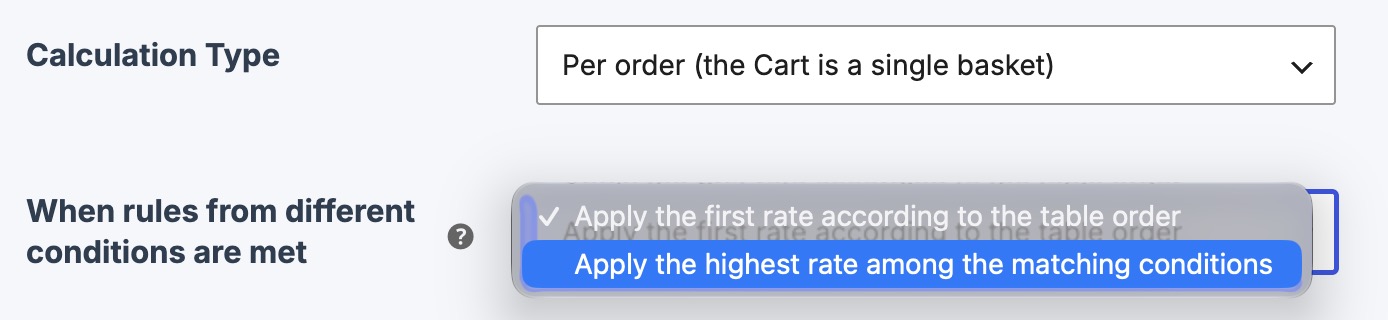
This option is useful when you need to configure rules based on different conditions, such as price and weight, within the same shipping method table. If multiple conditions match the cart data, you can choose which shipping rate will be displayed.
By default, Super Shipping displays the first matching rate based on the order of the rules in the table. If you select Apply the highest rate among matching conditions, the rates corresponding to each condition are compared, and the highest one is displayed. The rates are not added together.
Let's look at an example:
We have a product that costs $80 and weighs 15 kg. We have configured the following rules:
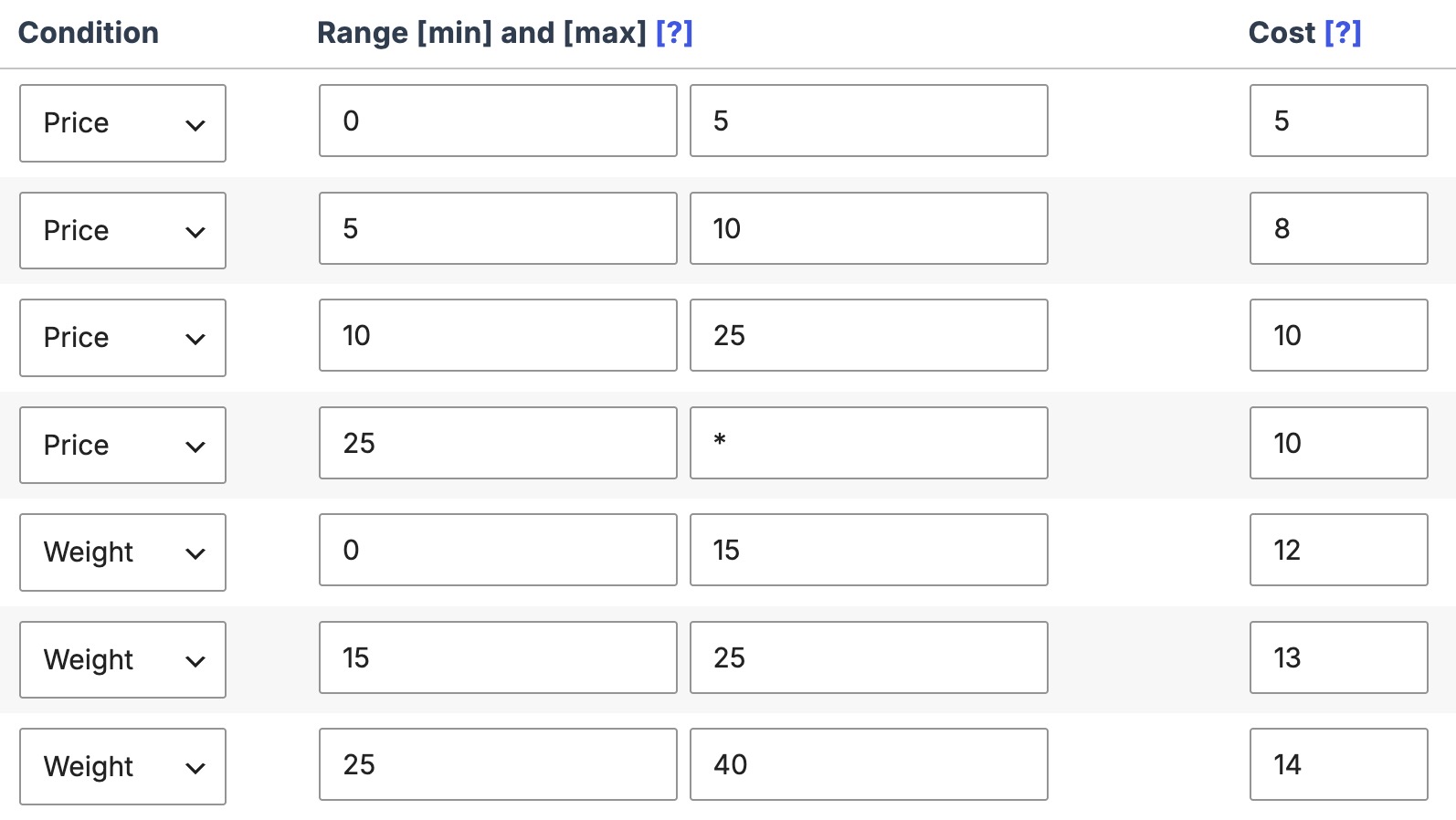
Based on this configuration, the price condition results in a shipping rate of $3, while the weight condition results in a rate of $5.
- With the default option, the rate of the first matching condition in the table is displayed, which is $3.
- If we choose the highest rate option, the cart will display a shipping rate of €5 for this shipping method.
How to enable this option
- Edit the shipping method.
- Under When rules with different conditions match, select Apply the highest rate among matching conditions.
- Save your changes.
IMPORTANT: The comparison is performed within the calculation type selected for the shipping method and does not change how rates are combined when calculating shipping costs per item, shipping class, or category. If you also use shipping class or category priority, that priority is applied first: the highest rate is compared only within the priority group. Rules based on the same condition are still evaluated according to their order in the table.